Engine - Binary Mesh Assets
October 26, 2026
Objective
This week, I updated the MeshBuilder to export binaries so that the lua files do not have to be parsed at runtime.
Gameplay
Playable Builds
Download x64 .ZIP Download x86 .ZIP
Gameplay Footage
Example Binary Mesh
Human-Readable Mesh
Below, you can see the human-readable mesh that was developed in previous weeks.
1
2
3
4
5
6
7
8
9
10
vertices = {
    { position = { -0.5, -0.5, 0 }, normal = { 0, 0, 1 } },
    { position = {  0.5, -0.5, 0 }, normal = { 0, 0, 1 } },
    { position = { -0.5,  0.5, 0 }, normal = { 0, 0, 1 } },
    { position = {  0.5,  0.5, 0 }, normal = { 0, 0, 1 } },
},
faces = {
    { 0, 2, 1 },
    { 2, 3, 1 },
},
Binary Mesh
Here is that same Mesh, but as the exported binary file. In yellow, you can see the vertexCount. In red, you can see the indexCount. The vertex.position is highlighted in light green and the vertex.normal is highlighted in dark green. In blue, you can see the indices. I chose this order so that the counts are always in the same spot, no matter how many vertices or indices there ends up being. The two variables should always take up 4 bytes in total.
Note that this binary is from the x86 winding order, so the vertex placement is slightly different from above.
00000000: 04 00 06 00 00 00 00 BF 00 00 00 BF 00 00 00 00
00000010: 00 00 00 00 00 00 00 00 00 00 80 3F 00 00 00 3F
00000020: 00 00 00 BF 00 00 00 00 00 00 00 00 00 00 00 00
00000030: 00 00 80 3F 00 00 00 BF 00 00 00 3F 00 00 00 00
00000040: 00 00 00 00 00 00 00 00 00 00 80 3F 00 00 00 3F
00000050: 00 00 00 3F 00 00 00 00 00 00 00 00 00 00 00 00
00000060: 00 00 80 3F 00 00 01 00 02 00 02 00 01 00 03 00
Advantages and Disadvantages
Two major reasons to use binary file formats includes:
- Smaller file sizes. The human-readable file uses 60 chars (or bytes) to store one vertex, whereas the binary file uses 24 bytes to store one vertex (4 bytes for each of 6 floats)
- Faster loading at runtime. Parsing human-readable strings is expensive, so if it can be done at build time, then runtime only requires directly reading/copying the direct bytes.
Winding Order
Winding order still needs to be accounted for, and it is preferable not to do this at runtime if possible since it would require looping through the entire mesh. Instead, platform specific code can place the vertices in the correct platform order at build time.
Loading the Binary
Loading the binary file is fairly straight forward, and just involves copying the day from the dataFromFile.data pointer. Once the important information has been copied, the mesh can be initialized.
1
2
3
4
5
6
7
8
9
10
11
12
13
14
15
16
17
18
19
20
21
22
23
24
// Load the binary file
Platform::LoadBinaryFile(i_path.c_str(), dataFromFile, &errorMessage);

// Calculate the data offset
auto currentOffset = reinterpret_cast<uintptr_t>(dataFromFile.data);

// Extract the vertex count
const auto vertexCount = *reinterpret_cast<uint16_t*>(currentOffset);
currentOffset += sizeof(vertexCount);

// Extract the index count
const auto indexCount = *reinterpret_cast<uint16_t*>(currentOffset);
currentOffset += sizeof(indexCount);

// Extract the vertex data
auto* const vertices = reinterpret_cast<VertexFormats::sVertex_mesh*>(currentOffset);
currentOffset += sizeof(VertexFormats::sVertex_mesh) * vertexCount;

// Extract the index data
auto* const indices = reinterpret_cast<uint16_t*>(currentOffset);
const auto triangleCount = static_cast<unsigned int>(indexCount / 3);

// Initialize the mesh
eae6320::Graphics::cMesh::Load(o_mesh, vertexCount, vertices, triangleCount, indices);
Comparisons using the Utah Teapot
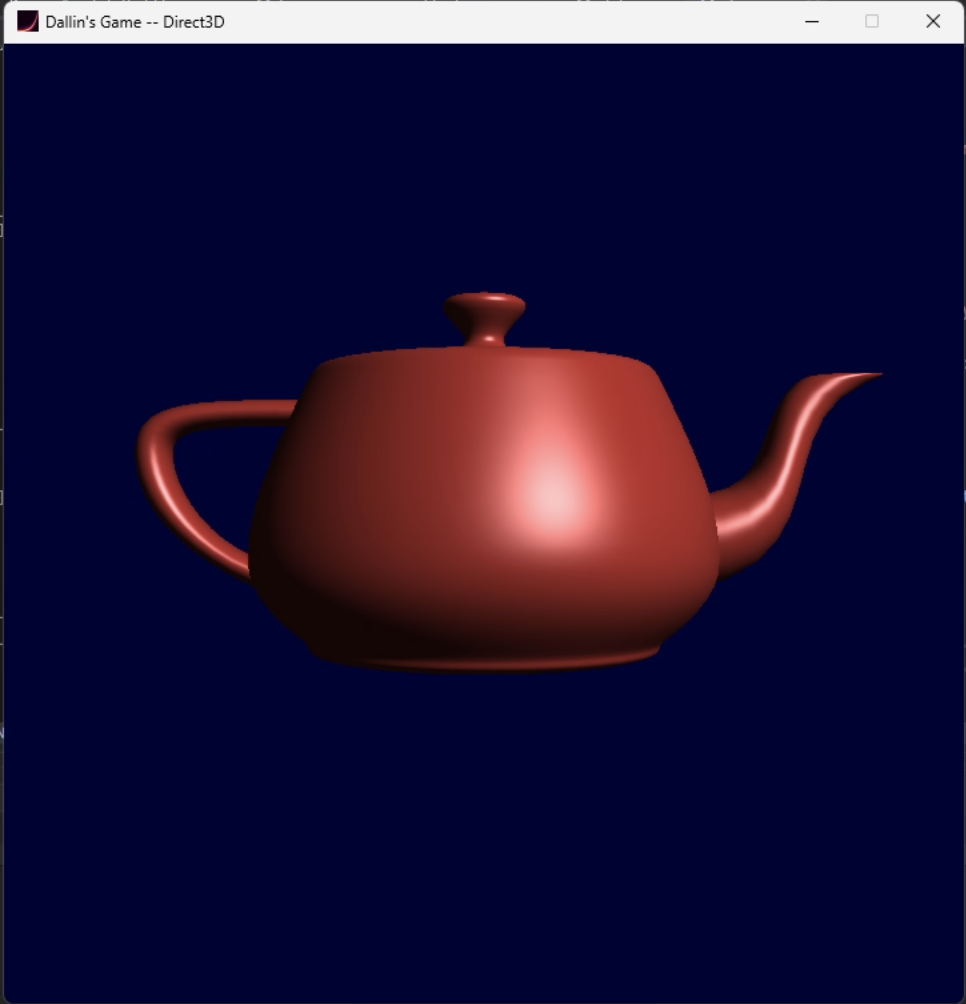
vertexCount = 12720 indexCount = 18960
Size Comparison
The binary file is nearly 5 times smaller than the human-readable file!
1
2
Human-Readable file size:   1,654,784 bytes
Binary file size:             344,064 bytes
Time Comparison
The binary load time is substantially faster than the human-readable laod time, by about a factor of 150! The human-readable load will still need to be done at build time, but because the binary load only requires copying the data over, it is incredibly fast.
1
2
Human-Readable load time:   30.1 ms
Binary load time:            0.2 ms